Trade Binance Futures
Like a Professional
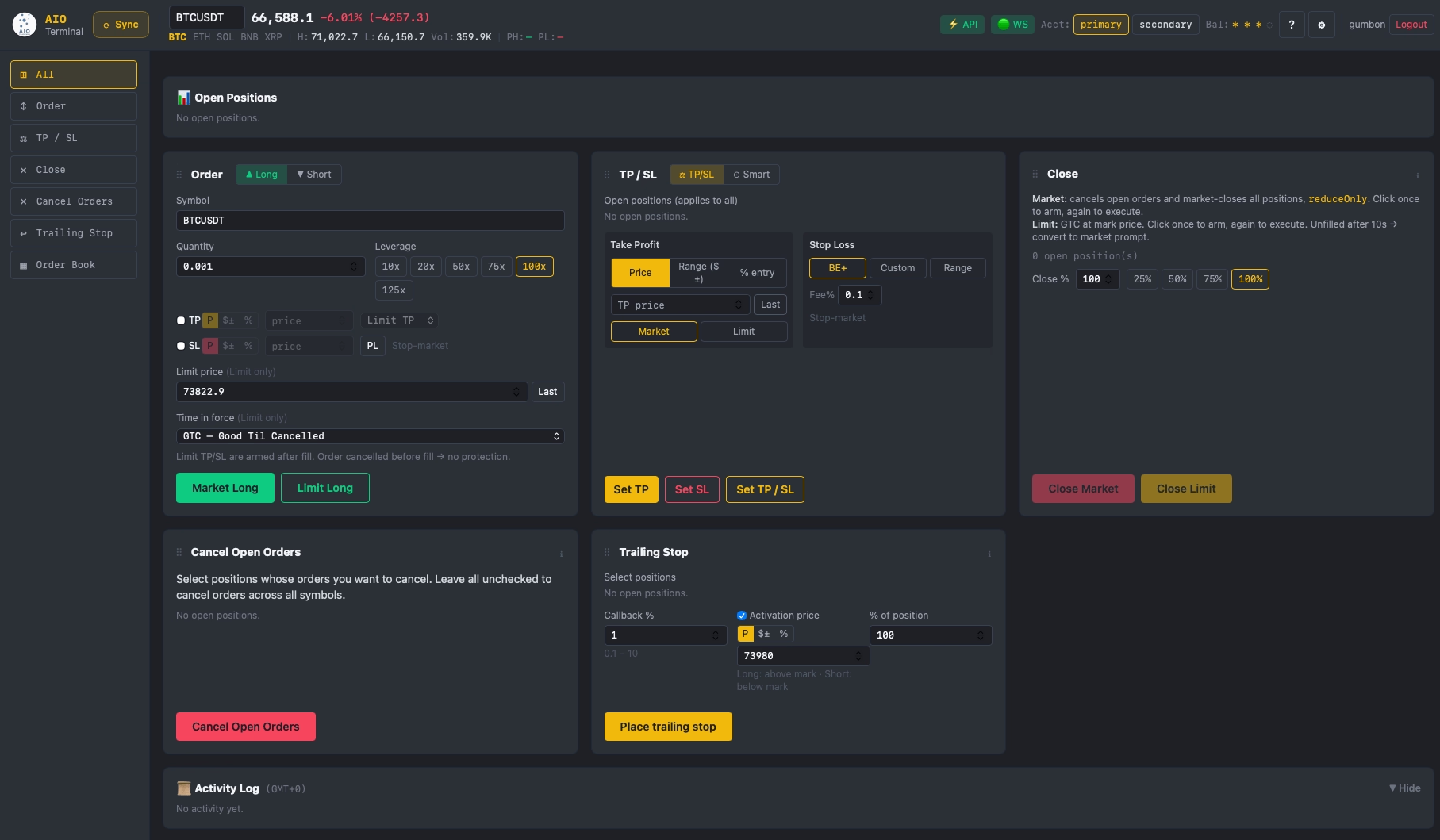
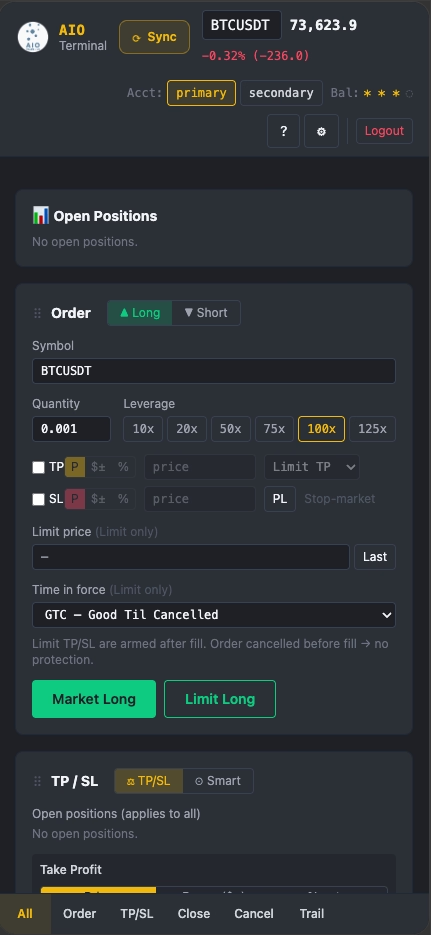
Stop wasting seconds on Binance's clunky interface. AIO Terminal gives you one-click Long/Short at last price, Smart TP/SL monitoring, Trailing Stop, and instant Close — all in a single, customisable dashboard.
Sound Familiar?
Every trader using Binance natively has felt these frustrations. Here's why they cost you real money.
10+ Clicks to Place One Trade
Select symbol, choose side, set leverage, enter size, configure TP, configure SL, confirm — by the time you're done the price has moved 0.3%.
Session Timeouts Kill Your Flow
Binance logs you out during live positions. Scrambling to re-authenticate while price is moving is a nightmare that has wiped traders' accounts.
Market Orders Bleed Fees
MARKET taker fee = 0.05% vs LIMIT maker fee = 0.02%. On a $10,000 trade that's $4 vs $2 every single entry. Multiply by 10 trades a day = $20/day in extra fees.
Closing Positions Takes Forever
When news hits and you need to flatten everything or specified poisitions NOW, clicking through each position individually on Binance wastes critical seconds. Markets don't wait.
TP/SL Settings Never Remembered
Every new order means re-entering your risk parameters from scratch. No persistence, no templates. It breaks your workflow and invites costly input errors.
AIO Terminal Solves All of This
Built by a trader who hit every one of these walls. One tool, one dashboard, everything remembered, 1–2 clicks to execute.
Get Terminal AccessEverything You Need in One Terminal
Five order execution tabs — Long, Short, Close, Cancel, TP/SL — plus a full Market Analytics panel with live Order Book, Aggression Gauge, Smart Tape, Spot/Perp CVD, Time Heatmap, and Risk Score. Every setting saved automatically.
Long Order — Limit at Last Price
Place a LONG as market or limit with a single tap. Tap the "Last" button to sync the current market price into your limit field — near-100% fill rate at maker fee. Or choose market when speed is the priority.
Short Order — Limit at Last Price
Same for shorts — select market or limit, correct side, correct leverage, your persisted TP/SL settings applied instantly.
PH/PL Smart SL Placement
One-click pivot fill for your SL — or TP — in any input mode (Price, Range, or %). Tap PH to fill the recent swing high; PL for the recent pivot low. The terminal auto-converts the pivot price to the correct range offset or percentage from entry, so structurally valid levels are always one tap away.
One-Click Close / Cancel — All or by Symbol
Flatten all open positions in one click, or use the Cancel tab to select specific symbols via checkboxes and cancel only their open orders — without touching the rest. Essential when news moves the market and you need to act immediately without closing everything.
TP/SL in Price, Range, or % Mode
Set your exit by absolute price, fixed distance from entry, or percentage — whichever matches your trading style. Or set later with one click from the TP/SL tab.
Analytics — Market Microstructure Panel
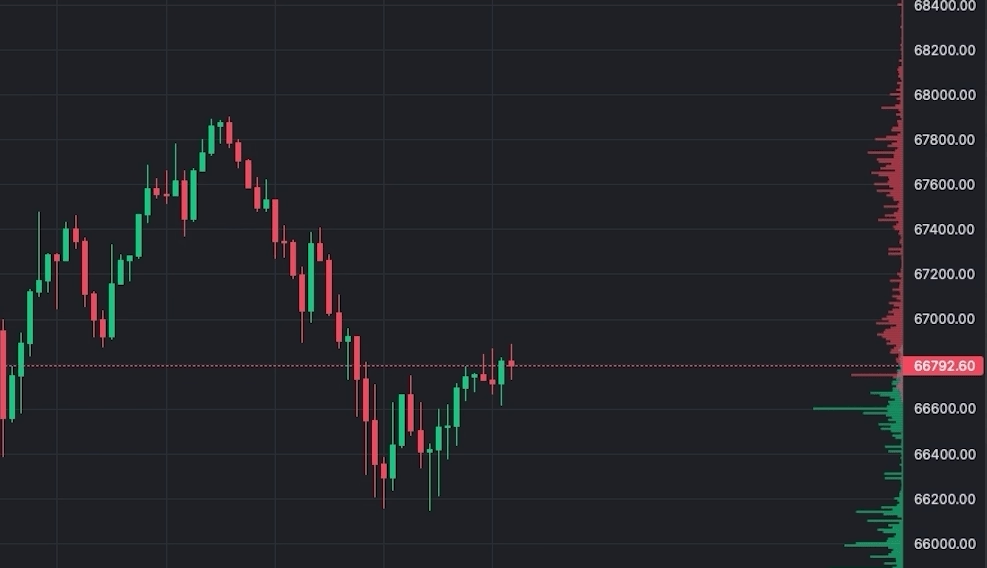
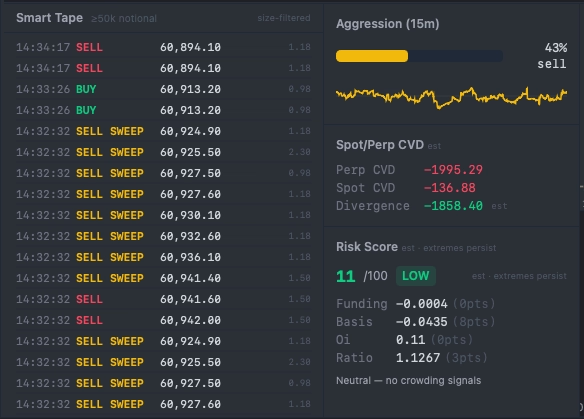
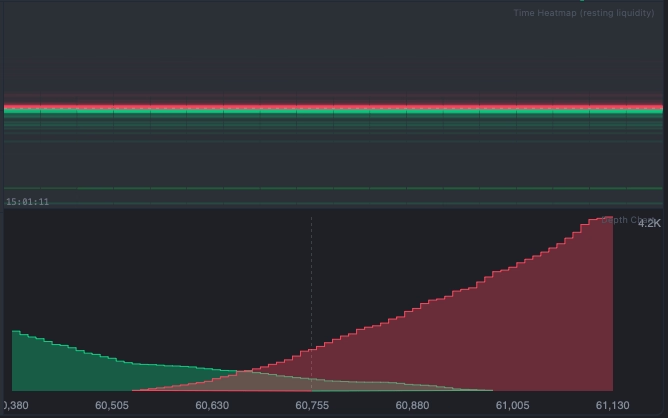
A complete market analytics dashboard in one tab: live Order Book bars overlaid on chart + cumulative Depth Chart, Aggression Gauge (buy/sell pressure 0–100), Smart Tape (size-filtered trades with 5 threshold presets, sweep detection in 500ms window), Spot/Perp CVD divergence, Risk Score (funding/OI/basis composite), and Bookmap-style Time Heatmap showing resting liquidity across price & time — all updated live from Binance WebSocket.
Drag-and-Drop Layout + Persistent Settings
Arrange your tabs in any order. All your parameters — symbol, leverage, size, TP/SL — are remembered across sessions. Never re-enter your setup again.
Activity Log
Every order action is timestamped and logged — entries, closes, TP/SL placements, errors. Collapse the log panel to keep your screen clean; expand to review your session history at any time. Timezone configurable across 12 zones so timestamps match your local trading session.
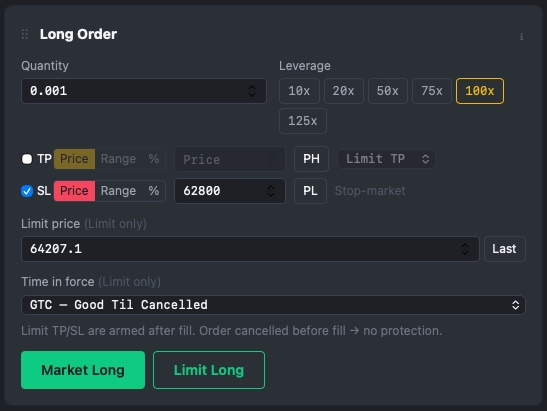
Click any tab above to preview that order panel
See the Full Picture — Analytics Tab
One dedicated tab gives you every market microstructure signal you need: order book depth, trade flow, CVD divergence, resting liquidity heatmap, and composite risk score — all live from Binance WebSocket.
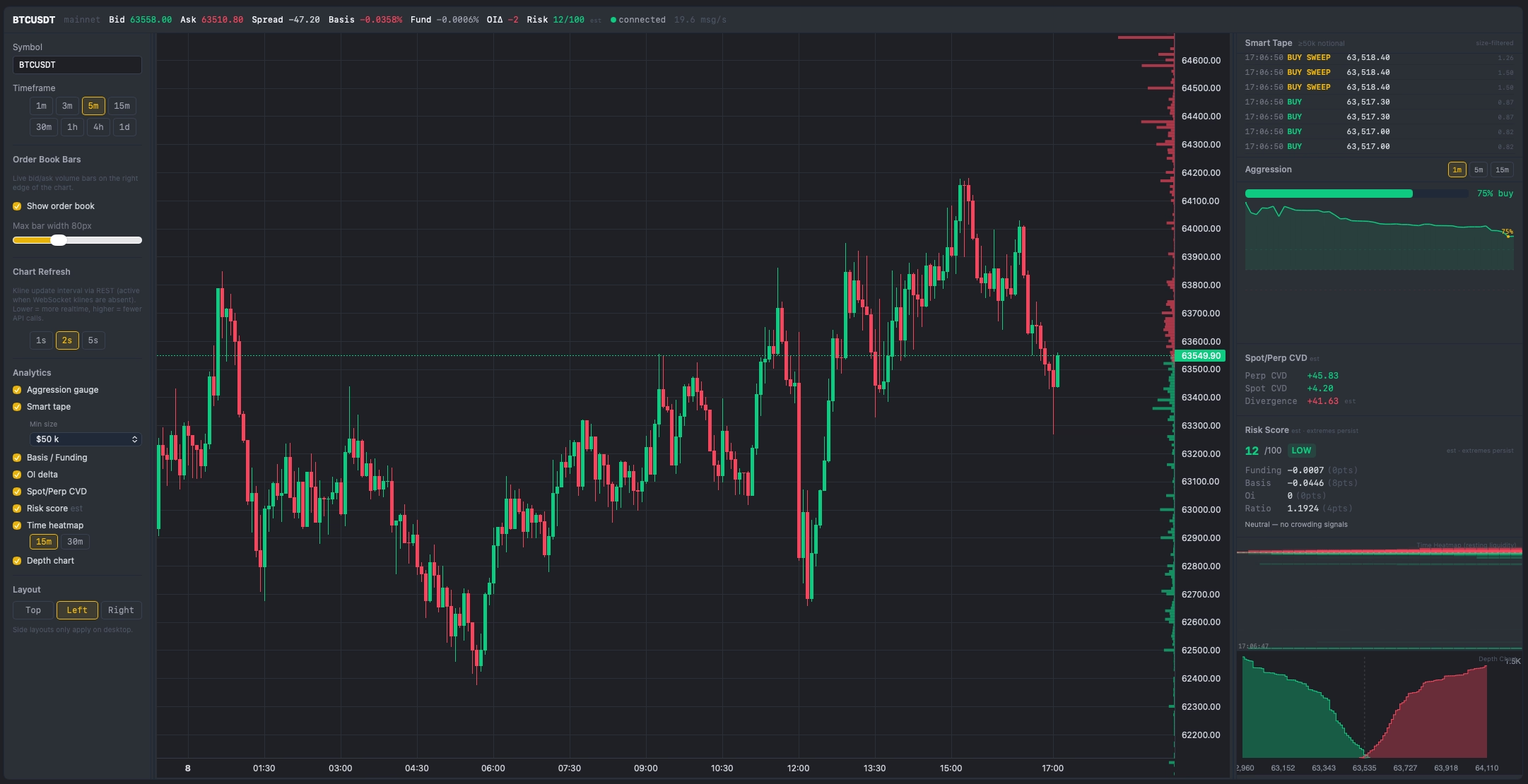
Analytics Tab — full dashboard: Order Book on chart, Smart Tape, Aggression Gauge, Spot/Perp CVD, Risk Score, Time Heatmap & Depth Chart
AIO Terminal vs Binance Native
A side-by-side look at what changes when you switch
| Feature | AIO Terminal | Binance Native |
|---|---|---|
| Clicks to place an order with TP & SL | 1–2 clicks | 8–12 clicks |
| Entry order type default | Market or Limit — your choice | Market by default (taker fee) |
| Session timeout / re-login required | ✓ Never | ✗ Frequent |
| TP/SL input modes | Price, Range, PCT | Price only |
| Close all positions / cancel by symbol | ✓ 1 click or select by symbol | Each position manually |
| Settings remembered between sessions | ✓ Always | ✗ Never |
| Tab layout customisation | ✓ Drag & drop | ✗ Fixed |
| API-only connection (no password sharing) | ✓ API Key only | N/A |
| Live Order Book / DOM overlay on chart | ✓ Real-time WebSocket, 100ms | ✗ No chart overlay |
| Market Microstructure Analytics (Tape, Aggression, CVD, Risk Score) | ✓ Full Analytics panel | ✗ None |
| Time Heatmap — resting liquidity visualisation | ✓ Bookmap-style built-in | ✗ None |
Frequently Asked Questions
Learn How to Trade Faster
Deep-dive articles on getting the most out of AIO Terminal and why exchange-native interfaces are costing you money.